

-
Table of Contents
-
Introduction – Why Conference Room Audio Matters
-
Poor Microphone Placement and Quality
-
Bad Room Acoustics
-
Outdated or Incompatible Audio Equipment
-
Poor Speaker Placement
-
Lack of Professional Audio Calibration
-
Conclusion – Clear Audio, Better Meetings
-
1. Introduction – Why Conference Room Audio Matters
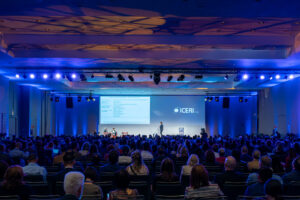
In 2025, hybrid meetings are the backbone of collaboration. Whether you’re pitching to a client or aligning with remote team members, conference room audio quality can make or break communication. Bad sound leads to missed information, frustration, and wasted time. According to industry research, 67% of meeting attendees rank poor audio as the number one meeting complaint.
This blog reveals the five most common reasons conference room audio fails and how to fix each problem for crystal-clear meetings.
2. Reason 1 – Poor Microphone Placement and Quality

One of the leading causes of bad conference room audio is poor microphone setup. Using a single, low-quality mic placed far from participants often results in:
-
Low volume for remote attendees
-
Echo from reflective surfaces
-
Picking up background noise instead of voices
Solution:
-
Install ceiling array microphones or multiple table mics for even pickup.
-
Use noise-canceling and beamforming technology to focus on active speakers.
-
Choose wireless mics with strong transmission and battery life.
3. Reason 2 – Bad Room Acoustics

One of the leading causes of bad conference room audio is poor microphone setup. Using a single, low-quality mic placed far from participants often results in:
-
Low volume for remote attendees
-
Echo from reflective surfaces
-
Picking up background noise instead of voices
Solution:
-
Install ceiling array microphones or multiple table mics for even pickup.
-
Use noise-canceling and beamforming technology to focus on active speakers.
-
Choose wireless mics with strong transmission and battery life.
4. Reason 3 – Outdated or Incompatible Audio Equipment
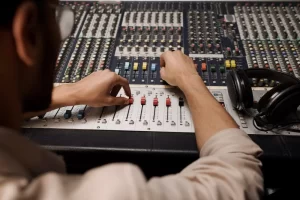
Old or mismatched equipment is another reason for poor conference room audio. Outdated analog systems often can’t integrate smoothly with Zoom, Teams, or Google Meet.
Solution:
-
Upgrade to digital audio processors (DSPs) with echo cancellation.
-
Use compatible microphones, speakers, and video systems.
-
Switch to USB or networked audio interfaces for better connectivity.
5. Reason 4 – Poor Speaker Placement
Reason 4 – Poor Speaker Placement
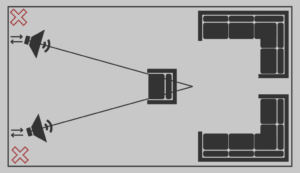
Improper speaker placement can lead to uneven sound, audio feedback, and participant strain.
Solution:
-
Install ceiling speakers for even coverage.
-
Position speakers away from microphones.
-
Use zoned audio control to adjust for room layout.