

Complete IT Infrastructure Setup for New Workspaces – Checklist + Mistakes to Avoid

- Introduction: Why IT Infrastructure Matters for New-Age Workspaces
In today’s fast-paced, tech-driven business environment, setting up a reliable IT infrastructure is not just a requirement—it’s a strategic necessity. Whether you’re launching a startup office, establishing a coworking space, or relocating your company to a new facility, your IT backbone directly impacts productivity, collaboration, and long-term growth.
This comprehensive guide provides:
- A detailed IT infrastructure checklist for new workspaces
- Key mistakes to avoid during setup
Insights on trends shaping 2025 office technologies

The Essential IT Infrastructure Checklist for New Offices

1. Networking & Internet Connectivity
A robust networking setup ensures uninterrupted communication and workflow.
Requirements:
-
Business-grade internet connection (minimum 100 Mbps)
-
Structured LAN cabling (Cat 6/6A or fiber)
-
Managed network switches and enterprise-grade routers
-
Professional Wi-Fi access points for full coverage
-
Failover connectivity with dual ISPs
Mistakes to Avoid:
-
Using consumer routers not built for office loads
-
Overlooking Wi-Fi coverage planning
-
Lack of firewall and bandwidth management
Expert Tip:
Implement centralized network monitoring for visibility and control across all devices.
2. Servers, Firewalls & Data Management
Efficient data handling and security are at the core of any modern workspace.
Requirements:
-
Local or cloud-hosted servers (depending on workload)
-
Next-generation firewalls (e.g., Sophos, Fortinet)
-
Network-attached storage (NAS) for local backup
-
Cloud-based backup for redundancy
-
Structured data management policies
Mistakes to Avoid:
-
No backup or only relying on external hard drives
-
Insufficient server power for future scaling
-
Weak cybersecurity layers
Expert Tip:
Adopt a hybrid infrastructure model—using both cloud and on-premise servers for flexibility and performance.
3. Audio-Visual (AV) Setup for Conference Rooms
Modern workspaces rely heavily on seamless AV technology to enable hybrid collaboration.
Requirements:
-
Large format displays or LED video walls
-
PTZ cameras for conference calls
-
Ceiling-mounted microphones and speakers
-
Integrated video conferencing software (Zoom, MS Teams)
-
Centralized AV control system
Mistakes to Avoid:
-
Ignoring soundproofing and lighting
-
Using residential-grade displays
-
Inadequate training on AV tools
Expert Tip:
Choose AV-over-IP solutions to simplify scaling and reduce cable clutter.
4. Employee Workstation Setup
Reliable workstations are essential for operational efficiency.
Requirements:
-
Business-class desktops/laptops (with SSDs and latest-gen processors)
-
Dual monitors (especially for designers or developers)
-
Docking stations and ergonomic peripherals
-
Endpoint security (antivirus, encryption, patch management)
-
Productivity suites (Microsoft 365, Google Workspace)
Mistakes to Avoid:
-
Purchasing low-performance hardware with no upgrade path
-
Ignoring ergonomics and workstation layout
-
No device monitoring or asset tracking
Expert Tip:
Standardize systems to simplify updates, repairs, and IT management.
5. Security Systems: CCTV, Access Control & Alarms
Ensuring safety of personnel and assets is non-negotiable for any organization.
Requirements:
-
IP-based CCTV cameras with NVR integration
-
Motion detectors and siren alarms
-
Access control (biometric, RFID, or smart locks)
-
Cloud-based monitoring and alert systems
-
Uninterruptible power supply (UPS) for security infrastructure
Mistakes to Avoid:
-
Using outdated analog CCTV
-
Poor camera placement or coverage blind spots
-
No access logs or backup during outages
Expert Tip:
Deploy AI-enabled cameras with motion tracking and license plate recognition for advanced security.
6. Automation & Energy Management
Smart automation contributes to energy savings and operational efficiency.
Requirements:
-
Motion-sensor lighting and smart ACs
-
Voice/app-controlled devices (lighting, AV, curtains)
-
Centralized automation platform or Building Management System (BMS)
-
Energy monitoring dashboards
-
Surge protection and smart UPS systems
Mistakes to Avoid:
-
Over-reliance on manual switches
-
Poor integration between smart systems
-
No surge protection for sensitive equipment
Expert Tip:
Invest in a single-pane control platform to manage multiple smart devices from one dashboard.
7. Office Communication Systems
Effective internal communication is vital for collaboration and productivity.
Requirements:
-
VoIP-based IP PBX system or cloud telephony
-
Department-wide intercom solutions
-
Unified communication tools (chat, call, video)
-
Voicemail to email integration
-
Mobile app access for remote staff
Mistakes to Avoid:
-
Using only mobile phones for business communication
-
Lack of unified tools for internal coordination
-
No call tracking or analytics
Expert Tip:
Cloud-hosted PBX solutions (like 3CX, RingCentral) reduce hardware costs and improve scalability.
8. Server & Network Room Setup
The physical layout of your IT equipment affects performance and longevity.
Requirements:
-
Server racks with proper ventilation
-
Fire suppression and environmental monitoring
-
Cable trays and structured patch panels
-
Locked cabinets for security
-
Power conditioning and UPS units
Mistakes to Avoid:
-
Poor cable management and labeling
-
No temperature control in server room
-
Using multipurpose areas for critical hardware
Expert Tip:
Maintain detailed documentation—network diagrams, equipment logs, and access control records—for compliance and support.
Common IT Setup Mistakes to Avoid
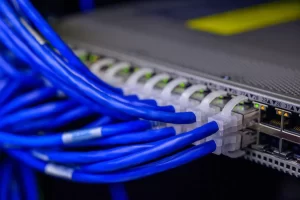
Common IT Setup Mistakes to Avoid
1. Lack of Professional Planning
Jumping into installations without a professional network audit leads to future issues like poor coverage, slow speeds, and instability. Plan with growth in mind.
2. Poor Scalability Design
Your IT setup should accommodate future expansion. Choose modular systems, extra switch ports, and scalable software licensing from day one.
3. No Backup or Failover Strategy
Downtime can cost thousands. Implement dual internet lines, cloud backups, and uninterrupted power systems for maximum uptime.
4. Weak Cybersecurity Measures
Even small businesses are targeted in 2025. Invest in endpoint protection, firewalls, email security, and regular security audits.
5. Mixing Personal and Commercial Equipment
Avoid using residential routers, CCTV systems, or consumer smart devices in commercial settings. They don’t offer the reliability or compliance needed for business operations.
Conclusion: Build a Scalable, Smart, and Secure Workspace

Setting up a new workspace is not just about physical interiors—it’s about building a digital foundation that enables your team to perform at their best. A well-designed IT infrastructure supports:
-
Seamless communication
-
Maximum uptime
-
Data protection
-
Smart energy usage
-
Future-ready scalability
At NetworkTen, we specialize in end-to-end IT infrastructure setup for:
-
Startups
-
Coworking spaces
- Corporate offices relocating or expanding
Request a Free Consultation
Ready to transform your new workspace with professional-grade IT solutions?
👉 Contact NetworkTen.in to schedule a site audit or get a custom quote today.